Windows 10/11 • Free to try

Download RunMacro

Version v3.1.3

Build without code or complex RPA, review every step, and run reliable desktop, browser, and runner workflows on Windows.

Microsoft Store Verified100% Clean & Virus-FreeChrome Store Official

Required for Smart HTML capture, the visual picker, and Smart Record

Windows 10/11No credit cardFree to try
RunMacro Dark Mode desktop automation interface mockup

Install and use RunMacro’s 3 modes in 2 simple steps

Install RunMacro for Windows, then add the Smart HTML companion extension to Chrome.

Step 1

RunMacro for Windows

Build reliable workflows that save time while keeping you in control.

Latest Version
v3.1.3Latest
Released: Oct 3, 2026 · 64-bit InstallerDownload from Microsoft StoreDownload Windows Installer (.exe)64-bit • ~85 MB • Version 3.1.3

SHA256: 5f91cfbb422a5381644a1cdb64367b0c243cab13ae26f30e0b16c2abc693d48f

New to RunMacro? Read the installation guide.

What’s New in v3.1.3

  • Cross-machine editable QMacro publishing: edit an authorized QMacro package on another PC and re-upload it to Gist without losing verified workflow ownership or breaking the linked PMacro source.
  • Reliable QMacro cloud downloads by name: entering a package name such as aci or aci.qmacro now resolves the canonical Gist filename automatically.
  • Refreshed Brand & High-DPI Icons: crisp high-resolution application icons and brand assets (16px to 256px), alongside dedicated native file icons for .pmacro and .qmacro packages.
  • Modern Vector UI Icons: upgraded sidebar commands and runner toolbars with clean, theme-adaptive monochrome SVG vector icons.
  • Polished Titlebar & Startup Experience: refined frameless custom titlebar drag and snap behavior with native Windows DWM shadow and optimized splash screen loading.
Step 2Chrome Extension

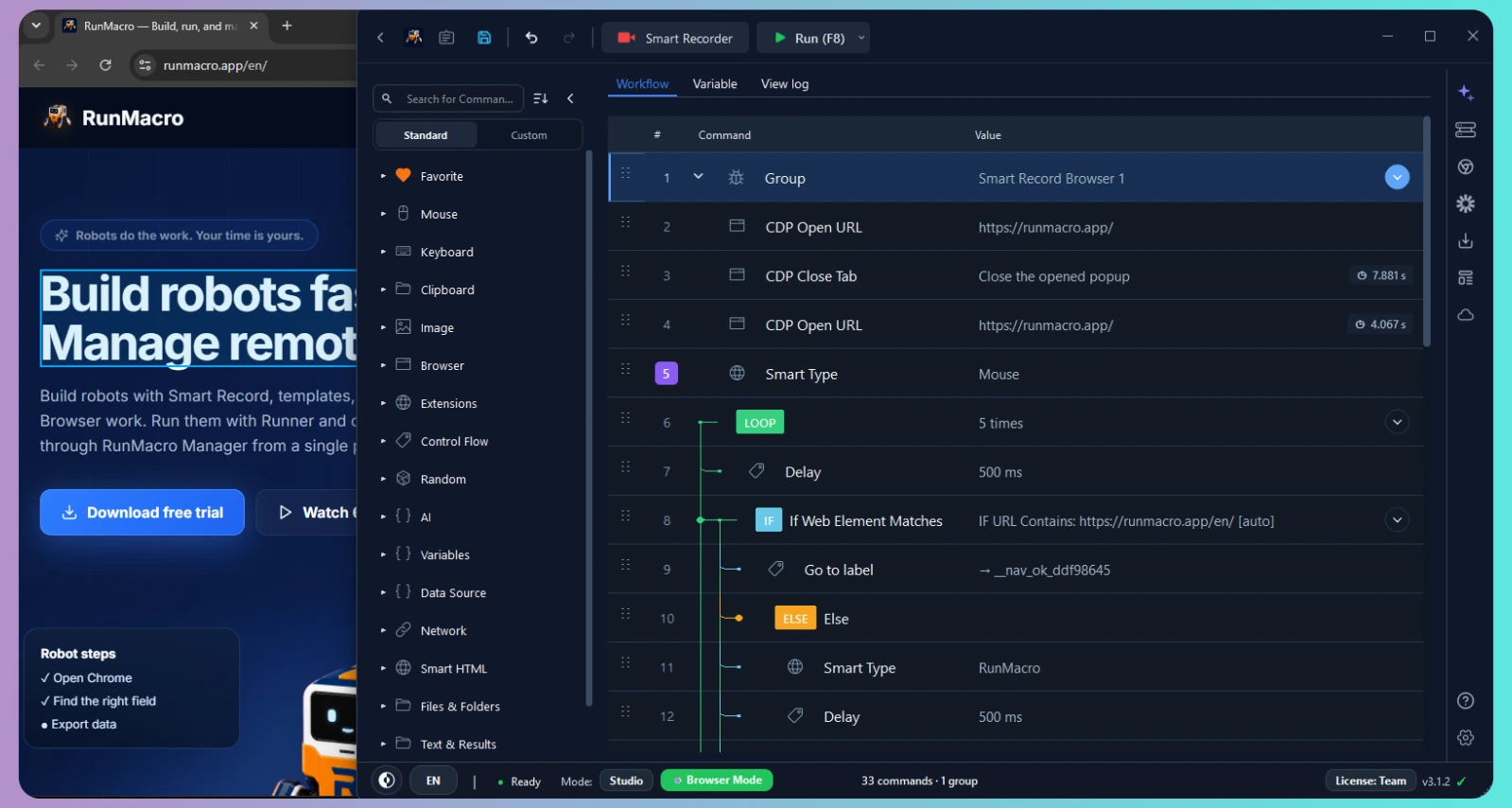
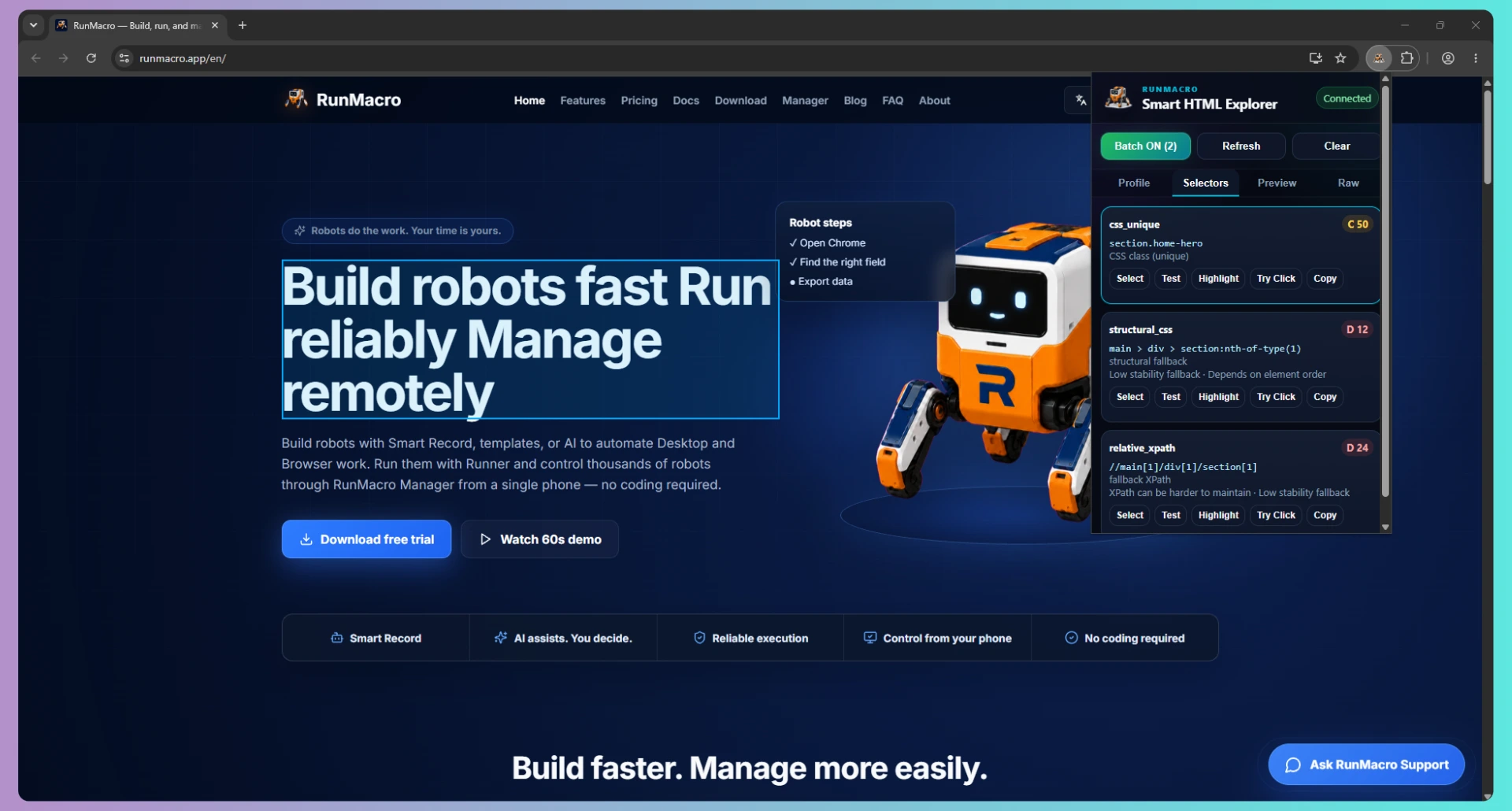
RunMacro Smart HTML for Chrome

Smart HTML selector, explorer, and recording bridge for reliable RunMacro browser automation.

  • Capture reliable Smart HTML selectors
  • Record supported browser interactions
  • Sync directly with RunMacro Studio
Add to Chrome — Chrome Web StoreVersion 1.0.0 · Free · Official Chrome Web Store
RunMacro Smart HTML Explorer interface on Chrome browser capturing web element selectors

What’s included

Includes all three RunMacro execution modes to build and run automation workflows.

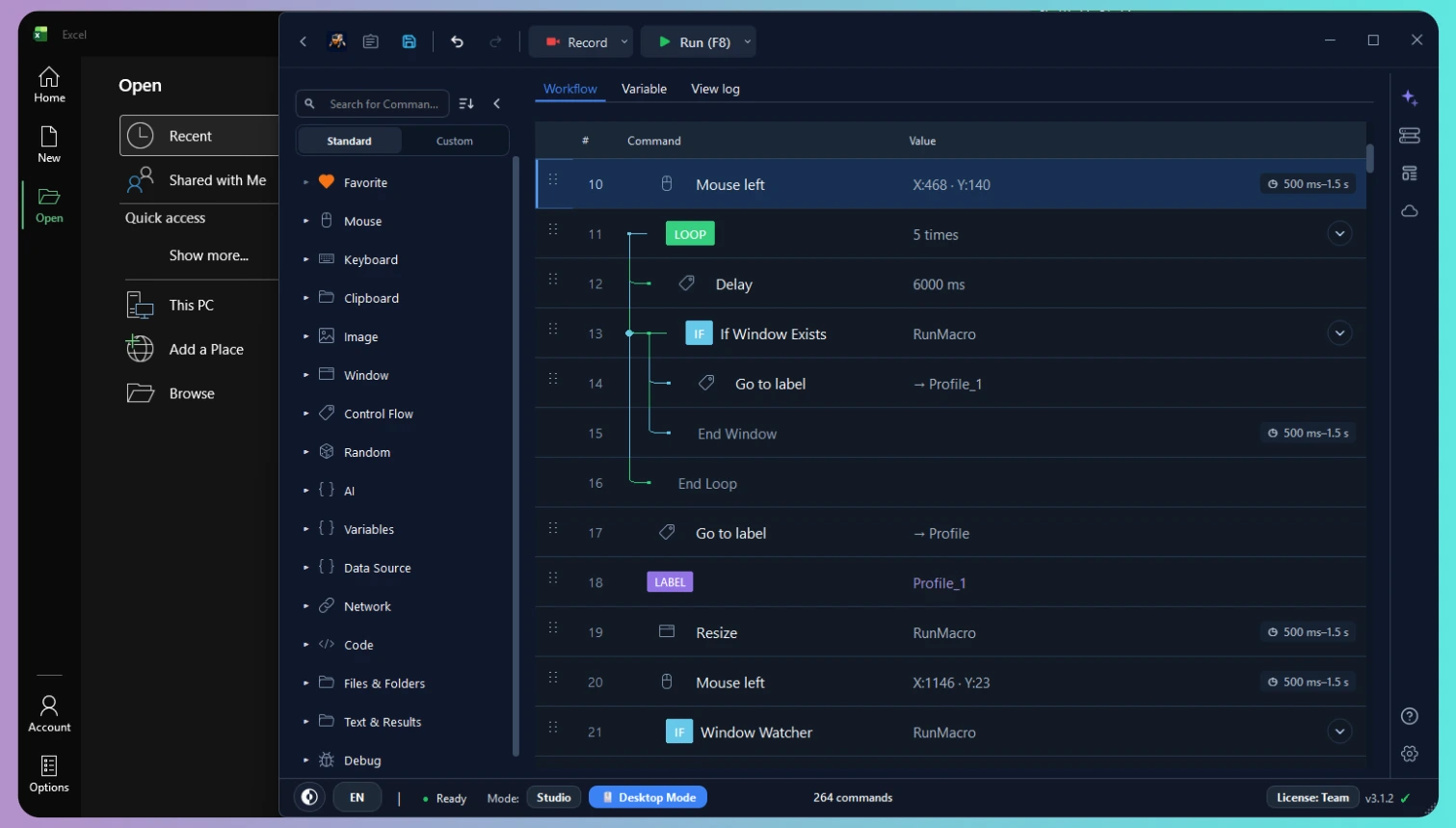
RunMacro Desktop Mode automating Windows desktop application
Studio

Desktop Mode

Turn repeated Windows app actions into reliable visual workflows you can review and control.

  • Build visually, with coding optional
  • Repeat mouse and keyboard work
  • Find screen targets with image or OCR
Learn Desktop Mode ›
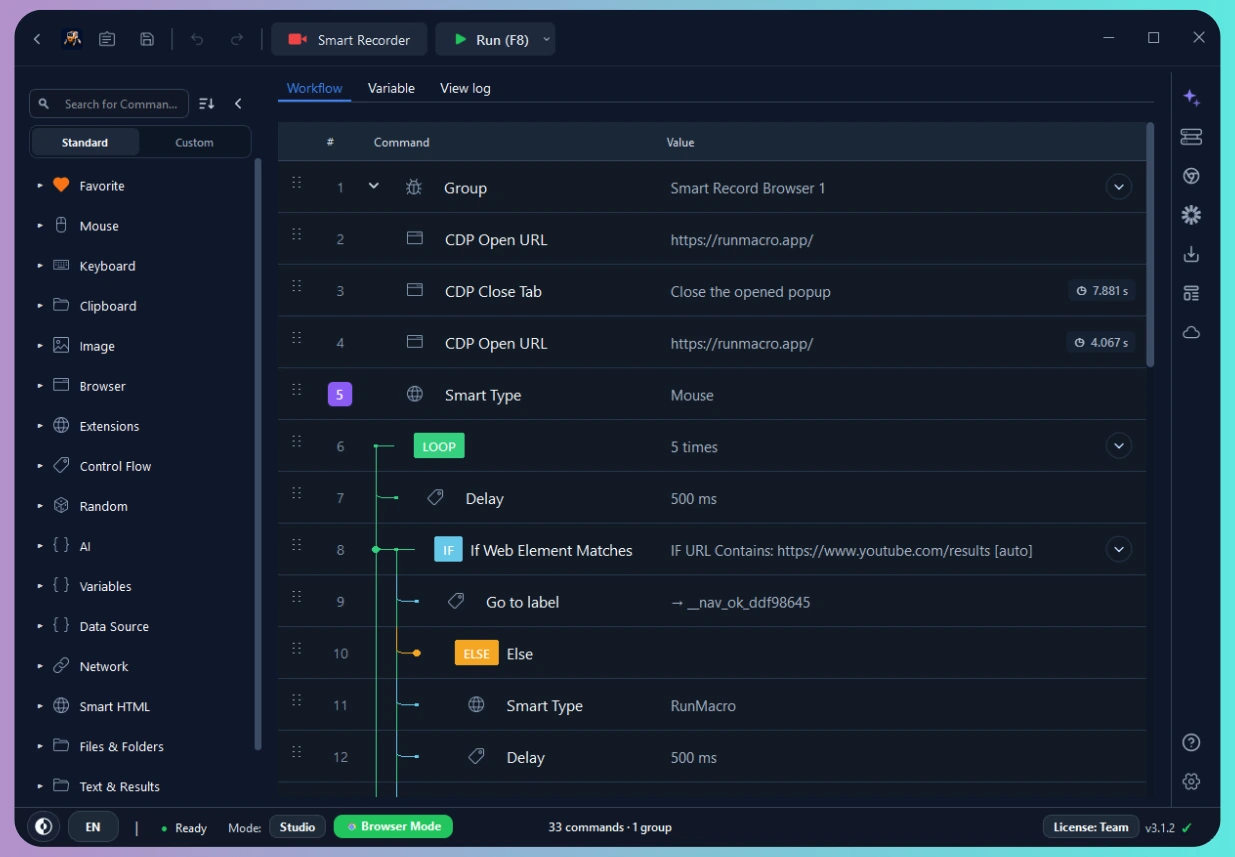
RunMacro Browser Mode automating Chrome web workflows
Studio

Browser Mode

Save time on web work with reliable Chrome/CDP workflows that do not take over your mouse.

  • Reliable page-level actions
  • Run multiple browser windows
  • Keep using your computer while it runs
Learn Browser Mode ›
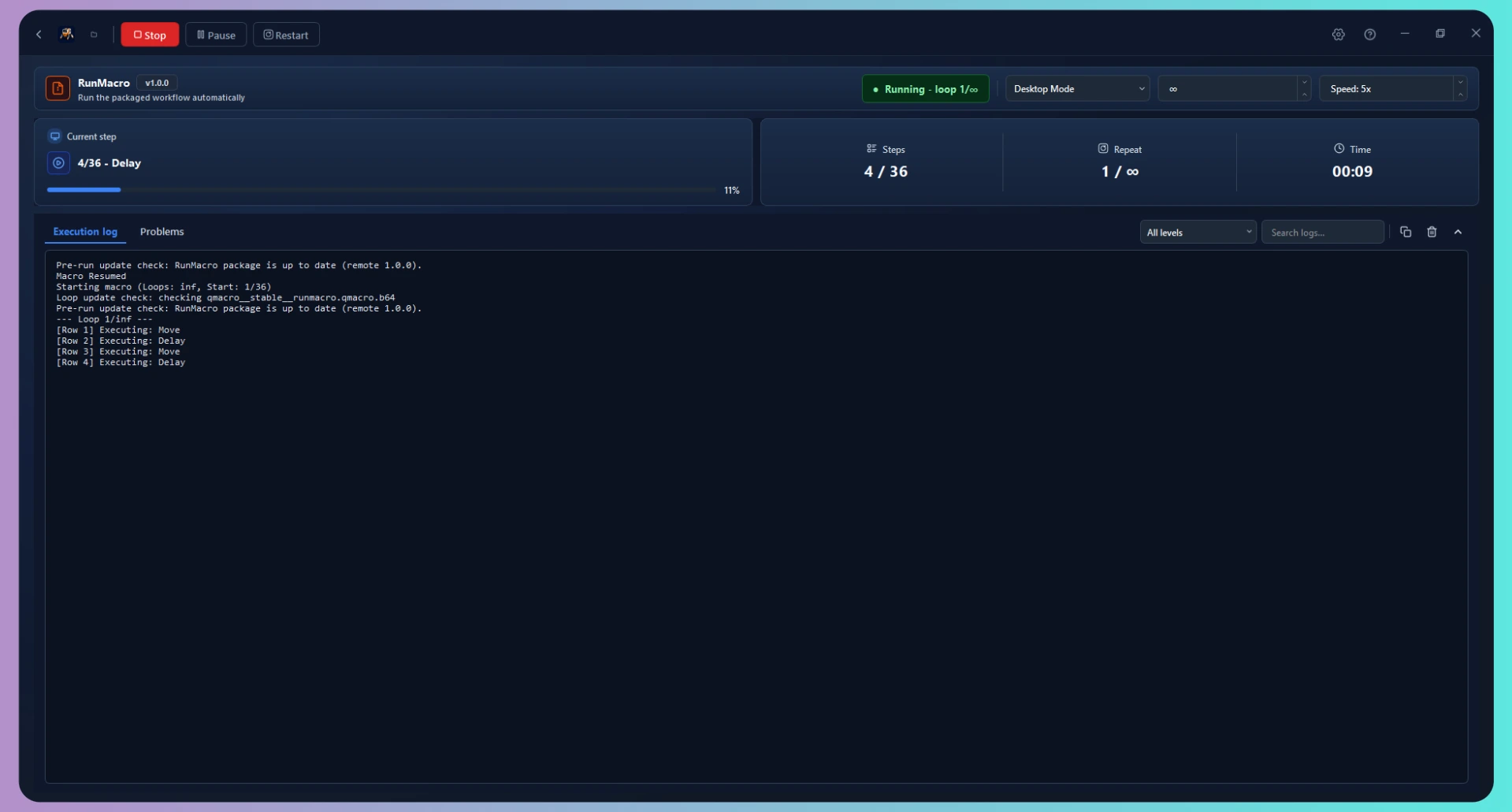
RunMacro Runner background execution interface
Runner

RunMacro Runner

Give people a simple, controlled way to run finished workflows without exposing the underlying logic.

  • Simple input-focused screen
  • Keep workflow logic protected
  • Schedule, update, and diagnose runs
Learn RunMacro Runner ›

Frequently asked questions

Yes. RunMacro is free to try, and paid plans can include a trial so you can validate real workflows before upgrading.

RunMacro is officially supported and certified for Windows 10 and Windows 11 (64-bit architecture).

Yes. Browser Mode uses Chrome/CDP automation for stable browser workflows without controlling your desktop mouse.

Basic Browser Mode commands work without the extension. Install RunMacro Smart HTML for Smart HTML capture, the visual element picker, and Smart Record. Desktop Mode and RunMacro Runner do not require it.

Yes. Team workflows can be shared and packaged through RunMacro Runner and team-oriented features.

RunMacro is currently built for Windows 10 and Windows 11. macOS support is not available yet.

Licensing depends on your selected plan and devices. Internet access is required for updates and license validation.

Email Support

support@runmacro.app

Documentation

Guides & references

RunMacro robot

Robots do the work. Your time is yours.

Create a robot in minutes, no coding needed. Reliable execution, remote management, transparent costs — and you always stay in control.