Deep-Dive Feature Showcase

Build your personal robot in just 5 minutes.

Build Windows and browser automations with visual logic, Chrome CDP, image recognition, variables, scheduling, and remote execution — all in one workflow engine.

Windows 10/11No credit cardFree to try
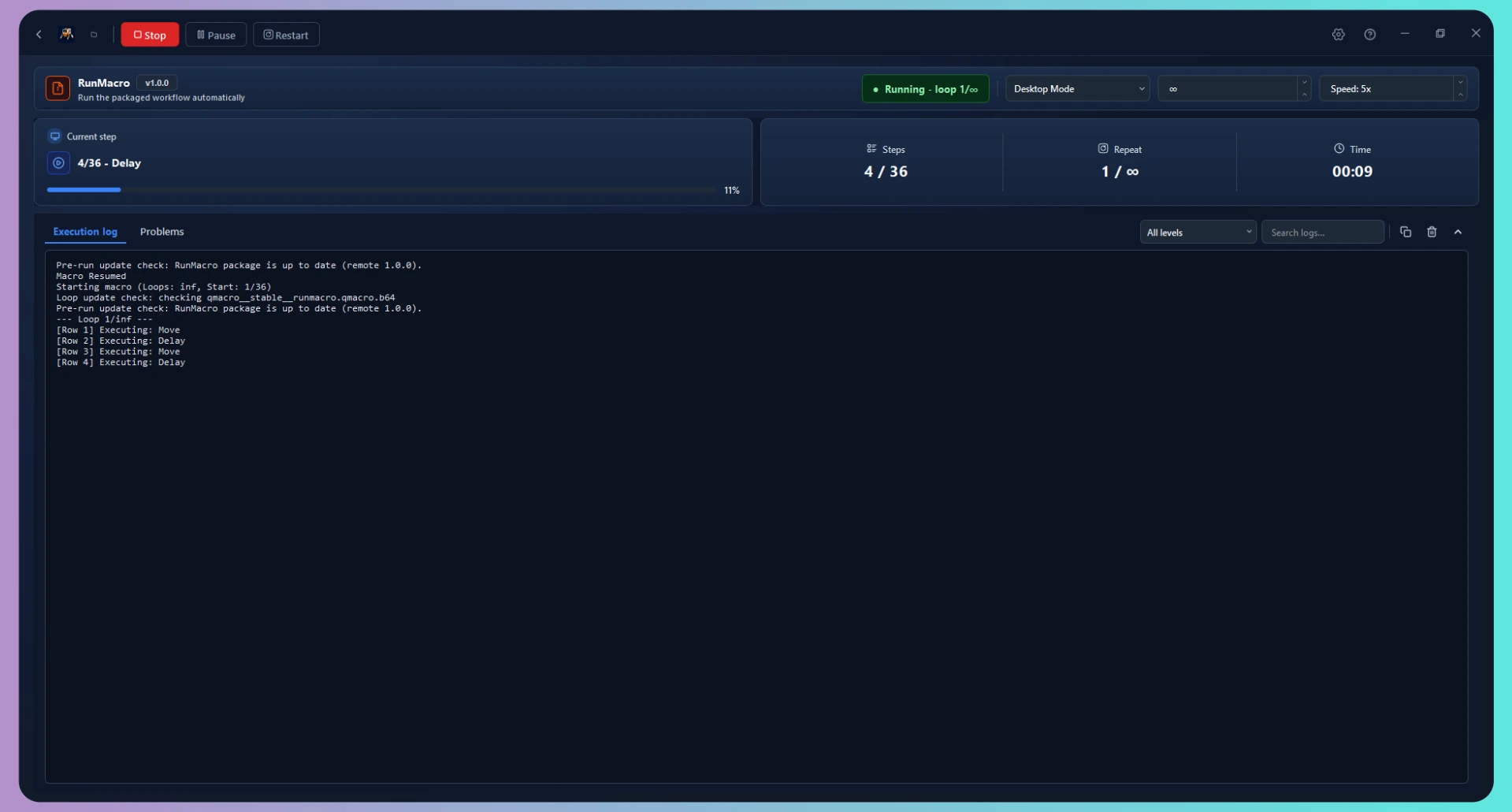
RunMacro Dark Mode Desktop Automation Dashboard
RunMacro robot mascot
CORE ENGINE MODULES

Three things that make RunMacro different

Four core automation engines engineered for resilient, unattended execution.

01
Visual LogicIF/ELSE & LOOP

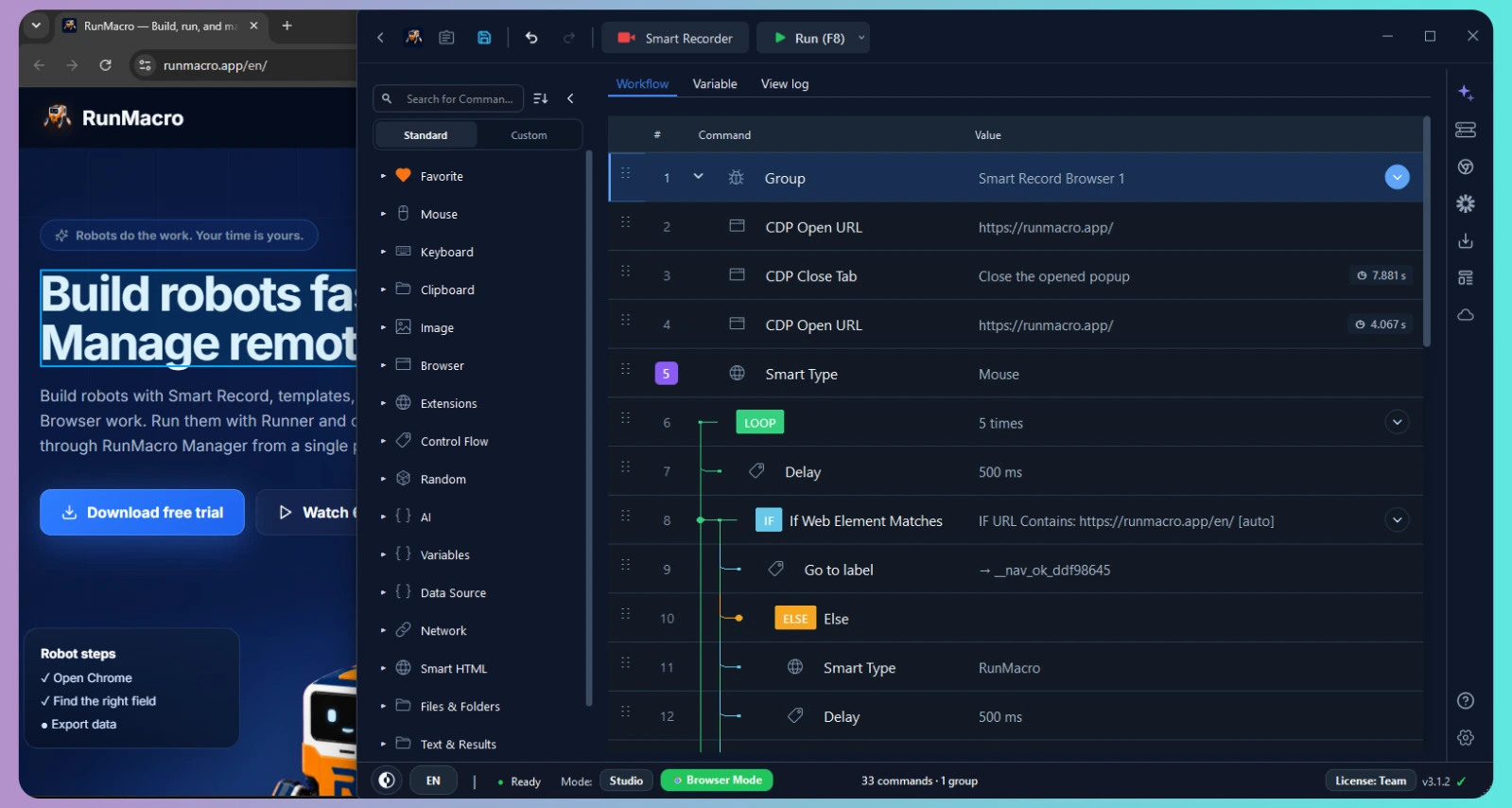
Visual Logic & Smart Flow: Branch, loop, and recover without code

Build multi-level command trees with IF/ELSE branching, nested LOOPs, jump labels, and smart element waits. Handle unexpected popups or slow-loading views gracefully with visual recovery steps.

  • Conditional IF / ELSE branching on web elements, URLs, images, or windows
  • Nested LOOPs with custom repeat counts, delays, and Goto Label jumps
  • Wait for Element & timeout recovery to prevent brittle workflow failures
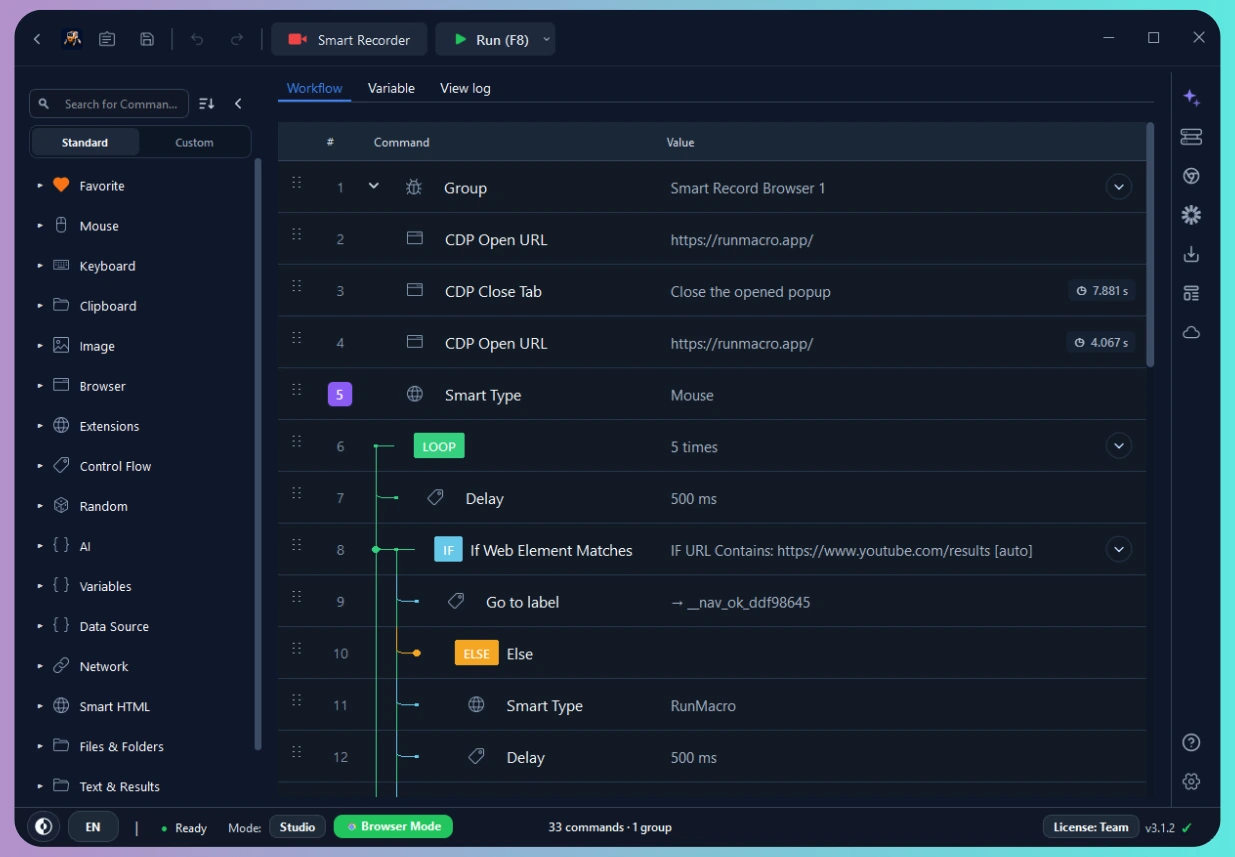
RunMacro multi-level visual logic command tree with IF/ELSE and LOOP blocks
02
Chrome CDPSmart HTML Explorer

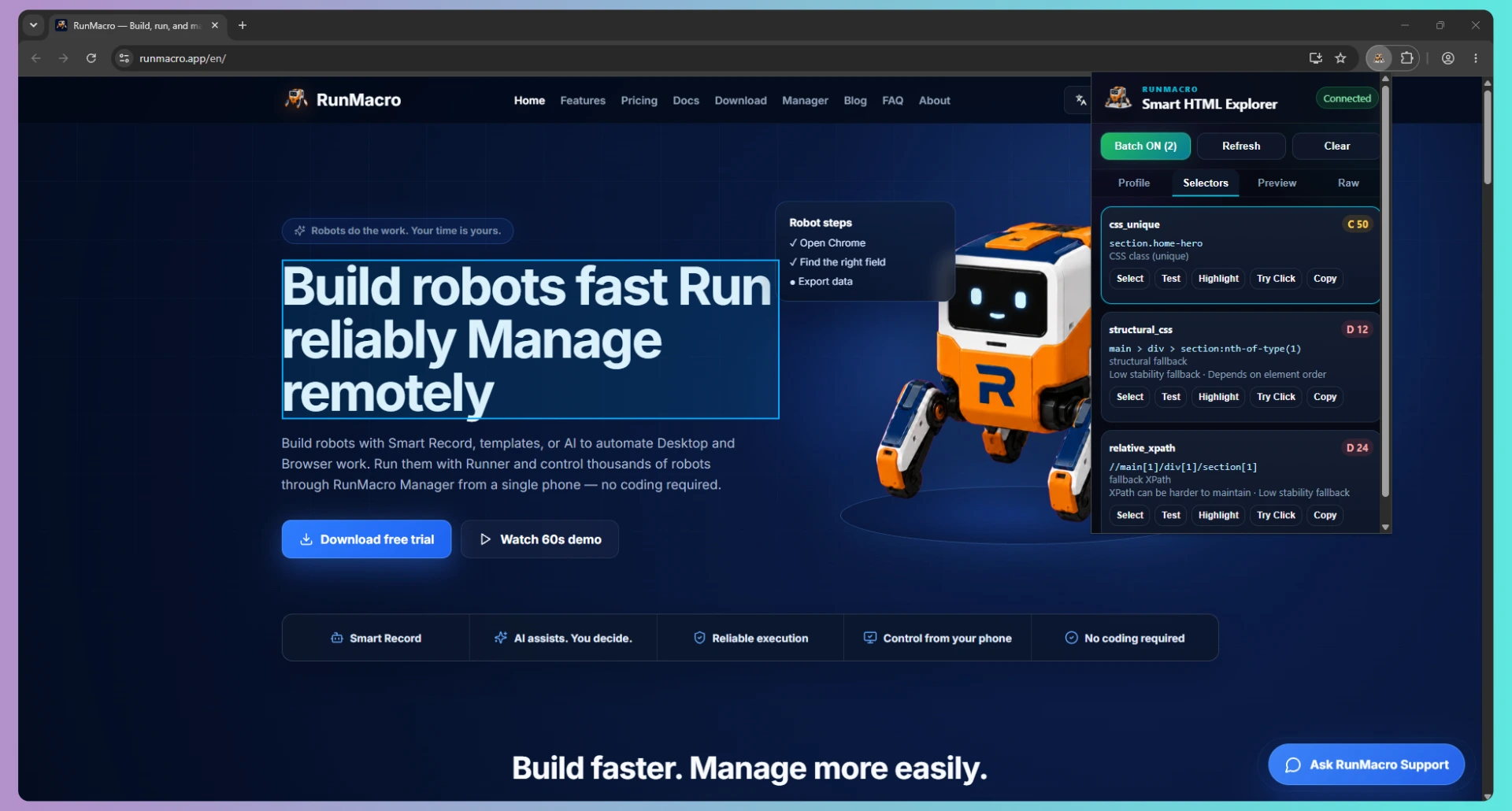
Smart HTML & Chrome CDP: Background web automation without taking over your mouse

Connect directly via Chrome DevTools Protocol (CDP) to run multiple isolated browser profiles in the background. Smart HTML Explorer scores and ranks CSS & XPath selectors by stability so workflows stay resilient when pages update.

  • Stability-ranked selectors: Unique CSS prioritized over brittle XPaths
  • Inspect, highlight, test, and try-click DOM targets live in the browser
  • Run concurrent Chrome profiles in the background while keeping your mouse free
RunMacro Smart HTML Explorer Selectors tab comparing CSS unique and fallback XPath stability
03
Vision MatchingImage & Multi-Color

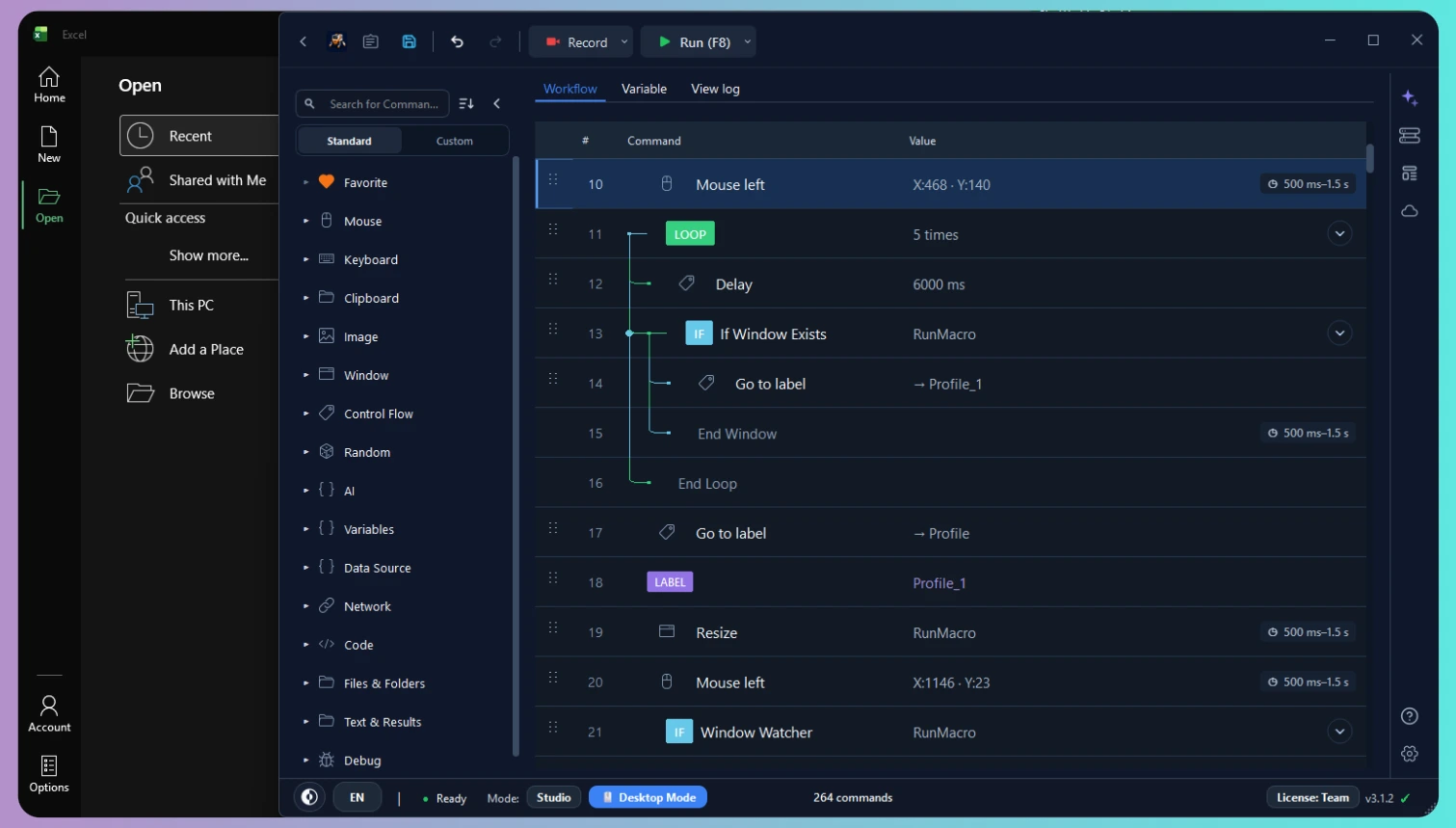
Vision AI: Image & Multi-Color Matching for Windows and legacy apps

Automate desktop software, ERP tools, and custom interfaces where no DOM or API exists. Combine multi-image templates, pixel color tolerance thresholds, and Window Watchers to detect UI states and click accurately.

  • Find Multi-Image with adjustable confidence tolerance and scan regions
  • Find Multi-Color pixel clusters to verify buttons, badges, and canvas states
  • Window Watcher & Resize actions to keep desktop coordinates locked
RunMacro Desktop Mode with image matching, window watcher, and coordinate automation
04
Data & VariablesCSV / Excel & Fleet

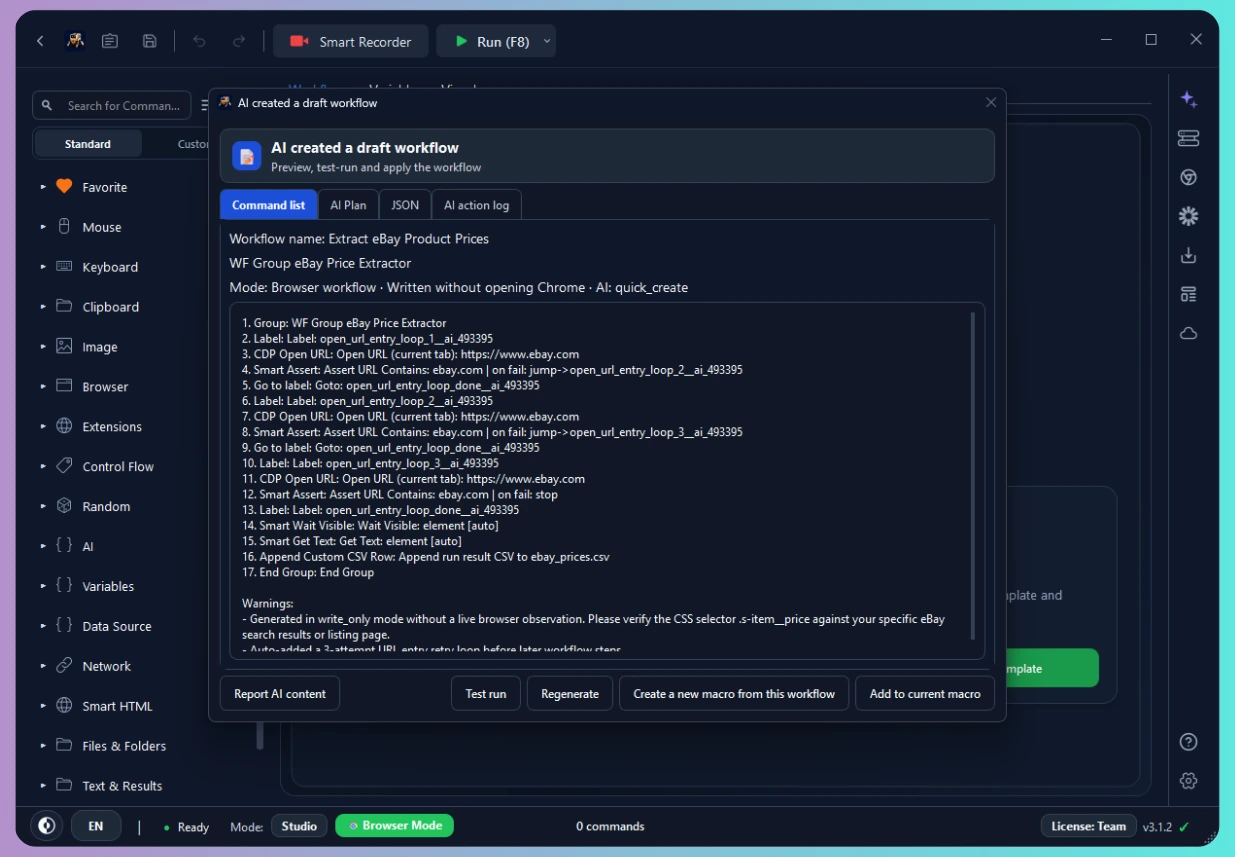
Data & System Integration: Excel/CSV, Dynamic Variables & Remote Manager

Read rows from Excel or CSV files, inject dynamic {variables} into web forms, and export structured results automatically. Run jobs now or on a schedule across connected computers, and review retained logs and results within configured limits.

  • See connected machines and current activity
  • Read & write Excel/CSV rows and bind dynamic {variables} across steps
  • Package workflows for RunMacro Runner or share via Team Template Cloud
RunMacro data extraction workflow saving web data into CSV with dynamic variables
THREE WAYS TO RUN

One app – Three execution modes

Three execution modes designed for native desktop apps, background Chrome tabs, and standalone runner tasks.

Desktop Mode
Studio

Desktop Mode

Turn repeated work in Windows apps into reliable mouse and keyboard workflows.

  • ✓ Find targets by image or color
  • ✓ Works with Windows and legacy apps
  • ✓ Build visually, with coding optional
Select Desktop Mode ›
Browser Mode
Studio

Browser Mode

Automate web work through Chrome/CDP without taking over your mouse.

  • ✓ Reliable page-level actions
  • ✓ Run multiple browser windows
  • ✓ Keep using your computer while it runs
Select Browser Mode ›
RunMacro Runner
Runner

RunMacro Runner

Let anyone run a finished workflow through a simple, input-focused screen.

  • ✓ Simple interface for everyday users
  • ✓ Keep workflow logic protected
  • ✓ Schedule, update, and diagnose runs
Open RunMacro Runner ›

How it works

Build fast, stay in control, and manage connected robots.

1

Build

Smart Record or AI Workflow.

2

Review

Edit and test every step.

3

Deploy

Choose machine, mode, and schedule.

4

Manage

Monitor and control from your phone.

Supporting tools

12 built-in tools for reliable automation

12 built-in tools providing the modular building blocks for reliable automation.

AI can help you draft and troubleshoot, but you review the workflow and decide what runs. Once saved, normal execution runs deterministically without continuous AI or token costs.

SimpleCreate your own robot without code or complex RPA
Time savingHand repetitive work to robots and reclaim your time
ReliableBuild reviewable workflows for repeatable results
Cost efficientRun workflows without unnecessary recurring AI use
Centralized ControlManage multiple remote machines from one device
RunMacro robot

Robots do the work. Your time is yours.

Create a robot in minutes, no coding needed. Reliable execution, remote management, transparent costs — and you always stay in control.