
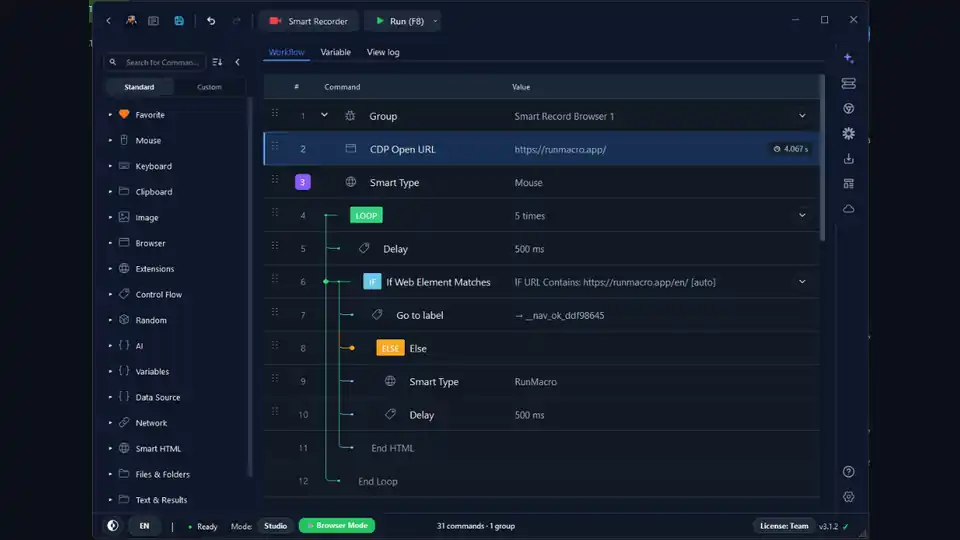

An automation that works once in a demo is easy. An automation that runs every day for months without babysitting is a different thing entirely — and the gap between the two is almost never the tool. It is a handful of habits. This guide collects the practical best practices that make the difference, so you can build reliable automation that survives slow apps, shifting layouts, and the odd bad input instead of breaking the first time something is not perfect.
Whether you are automating a desktop app or a website, the same principles apply: do not race the interface, target things the durable way, handle failure on purpose, and watch what your workflow does. Here is how.
Why automations break
Almost every flaky automation fails for one of three reasons:
| Root Cause | Symptom | The Fix |
|---|---|---|
| Timing | Click fires before a button or field appears | Use Wait for element instead of a fixed delay |
| Targeting | Window moved, resolution changed, or layout shifted | Use Smart HTML selectors or Find Image |
| Unexpected input | Empty cell, missing field, or malformed data crashes the run | Branch with If Variable to skip, retry, or stop gracefully |
Fix those three categories and reliability mostly takes care of itself. Everything below is a habit that attacks one of them.
Do not race the interface: waits over guesses
Computers are faster than the apps they drive, so the most common failure is clicking before a button exists. Never assume timing. After anything that loads — an app launch, a page navigation, a slow query — add a Delay, or better, wait for a real signal with Wait for element so the workflow proceeds the moment the content is ready and not before.
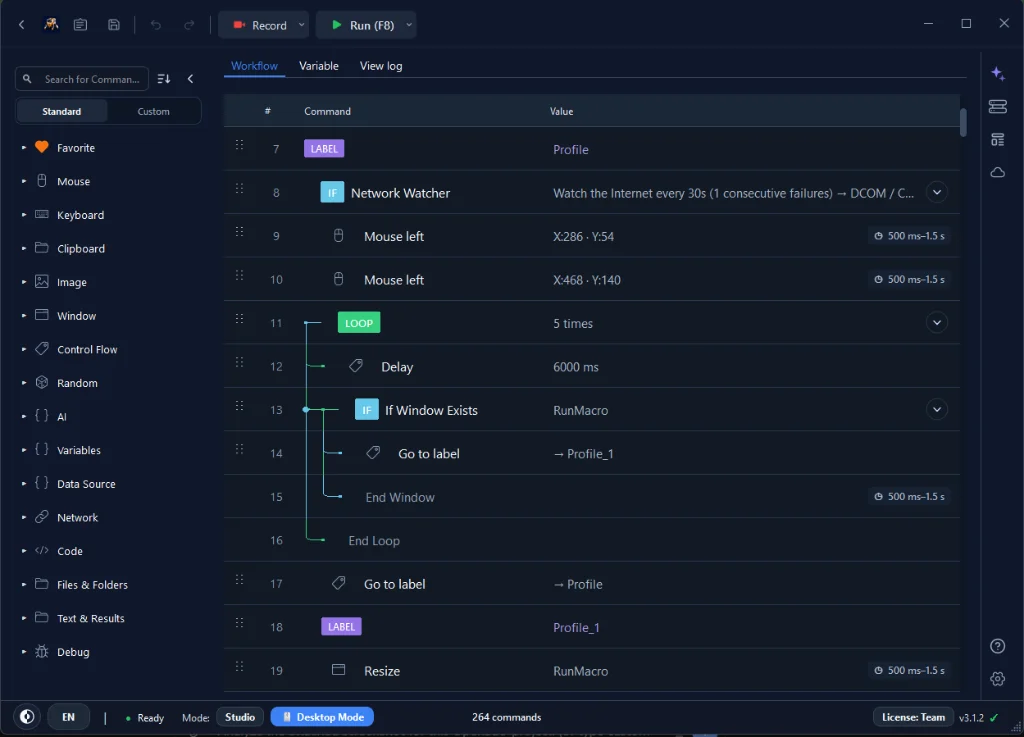
The distinction matters more than it looks. A fixed delay is a bet: too short and it fails on a slow day, too long and every run wastes time. Waiting for a cue adapts — it returns instantly when the page is quick and holds on when the network is slow. Reserve fixed delays for the rare case where there is no observable signal to wait on.
Target the durable way
How a workflow finds things decides how long it keeps working:
• On the web: prefer selectors with Smart HTML over fixed coordinates (see Smart HTML vs coordinate clicking).
• On the desktop: prefer image recognition of a distinctive, stable region over a bare pixel position.
Avoid tiny targets and anything that changes every session. When you pick a selector, anchor it to something meaningful — a label or id — rather than an auto-generated class that a deploy will regenerate.
Handle failure on purpose
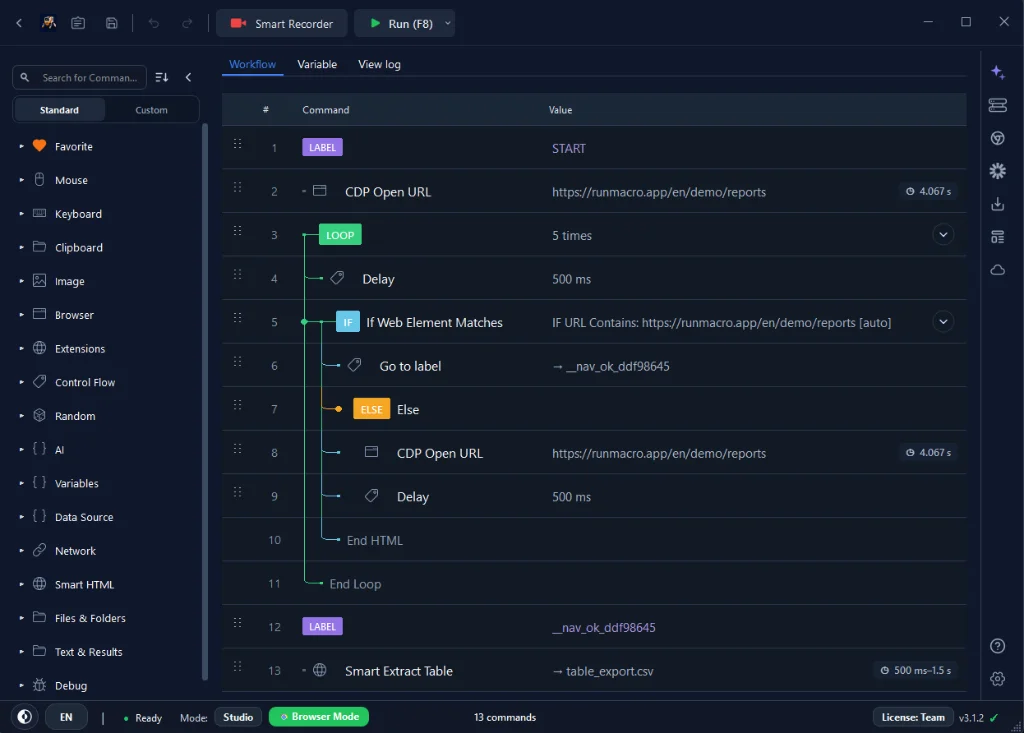
Reliable does not mean nothing ever goes wrong — it means the workflow knows what to do when it does:
• IF element or a variable check to confirm state before acting.
• Assert to stop the run when a value must be exact.
• Decide in advance for each risky step: skip, retry once, or stop and log.
IF ACTION SUCCEEDS:
  - Confirm the success state
  - Mark the row "COMPLETED"
ELSE:
  - Append row_id={row.id}, result="FAILED" to a result file
  - Send a Telegram notification
  - Skip, use a bounded Label/Goto retry path, or stop
A workflow that fails loudly and cleanly is far more useful than one that plows ahead and corrupts data.
Make long runs resumable
A batch that cannot be safely restarted turns a small interruption into a full redo. Mark each record as it succeeds with Mark Row and have the workflow fetch only unmarked records, so a reboot, a dropped connection, or a manual stop resumes exactly where it left off. This one habit is what makes overnight and scheduled jobs trustworthy: nothing is done twice, and nothing is silently skipped.
Test small, then scale
Do not validate a 500-row job by running all 500 rows. Test with two or three, confirm every step behaves, then scale up. Build in increments — add a few steps, run, fix — so when something breaks you know exactly which step you just added caused it. Grouping related steps with a Group keeps a growing workflow readable, and a Pause at a checkpoint lets you inspect state during a dry run before letting it loose.
Watch what it does: logging and diagnostics
You cannot fix what you cannot see:
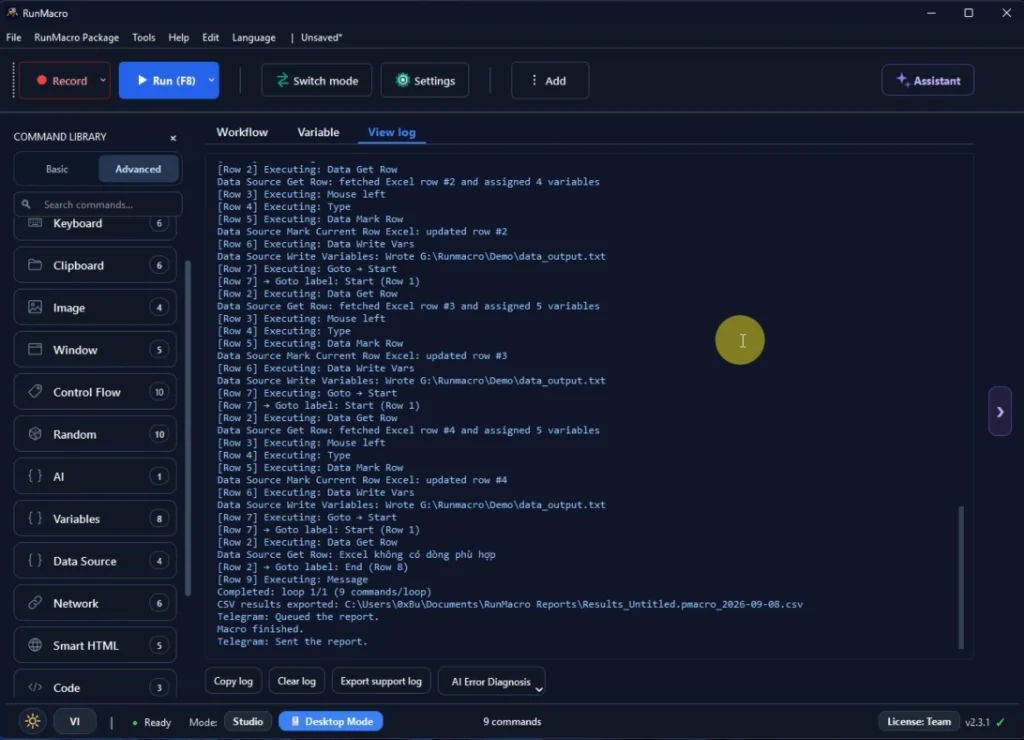
• Log progress — even one line per record or per page — so a stopped run tells you exactly where and why.
• Add a Telegram notification for unattended runs so failures reach you immediately.
• Use diagnostics when the log does not explain the issue.
For long or scheduled runs, a result log is the difference between re-running one failed row and redoing the whole batch.
Keep the environment stable
The most reliable workflow can still be undone by a moving target underneath it.
✅ DO:
• Keep the target window in a consistent position and size
• Use Random Delay to pace requests within rate limits
• Keep DPI scaling the same between capture and run
• For scheduled jobs, ensure the always-on machine matches your capture environment
❌ DON'T:
• Change resolution or display scaling while a bot is running
• Stack unrelated windows over a desktop target's click area
• Move or resize the target window mid-run
• Run heavy background tasks that compete for CPU/RAM during automation
Reuse with variables instead of copying
Duplicating a workflow to handle a slightly different case doubles your maintenance. Store inputs in variables so one workflow adapts to many files, accounts, or customers. Fewer copies means fewer places for a bug to hide, and a fix applied once instead of pasted into five near-identical copies.
Frequently asked questions
Why does my macro work sometimes but not always?
Usually a timing issue — it is racing the app. Replace fixed guesses with waits for a real element or state, and the largest category of intermittent failures disappears.
Are fixed coordinates ever okay?
For stable, full-screen desktop targets, sometimes. But prefer image or selector targeting wherever possible so a moved window or a redesign does not break it.
How do I stop a workflow from corrupting data on error?
Add condition checks before critical steps and decide the failure behavior — skip, retry, or stop and log — instead of letting it continue blindly. Use Assert where a wrong value must never propagate.
How do I make a long run safe to restart?
Mark each record as it is processed and fetch only unmarked records. A restart then skips everything already done and continues from where it stopped.
What is the single most impactful habit?
Waiting for elements instead of guessing timing. It fixes the largest category of failures on its own.
Is RunMacro free?
RunMacro offers a free trial. Current plan limits and pricing are listed on the pricing page.
Conclusion
Reliability is not a feature you switch on — it is a set of habits: wait for the interface, target the durable way, handle failure on purpose, make long runs resumable, test small, and log everything. Apply them and your automations stop being demos that break and become tools the team depends on.
Building your first workflow? Start with Getting Started with the workflow builder. Choosing between selectors and coordinates? Read Smart HTML vs coordinate clicking. Ready to build something dependable? Download RunMacro.
