
Docs
RunMacro Documentation
Create your first robot, then go further as needed.
Clear step-by-step guides to create, run, and improve robots for repetitive computer work.
Group commands to organize a script in RunMacro
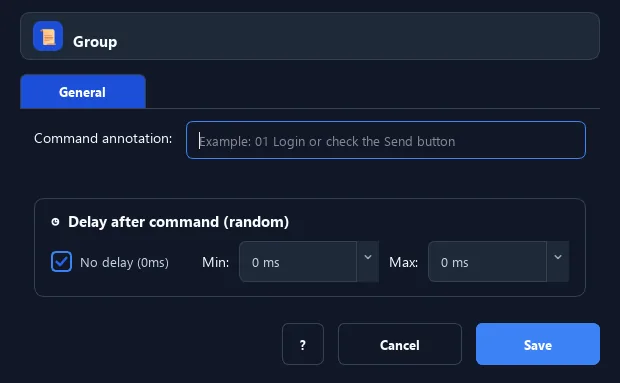
The Group and End Group pair bundle related commands under a name, keeping the script tidy and readable.
Prerequisites#
- Add Group / End Group to the macro.
- Prepare the data or target that Group / End Group will use.
Supported modes#
- RunMacro Runner
What it does#
The Group and End Group pair bundle related commands under a name, keeping the script tidy and readable. Groups are for organization only — they do not change how the inner commands run.
Screenshots & video#
When to use it#
- A long script that needs clear sections.
- Bundle the steps of a sub-task together.
- Help others read/understand the workflow.
When not to use it#
- Do not use Group when a loop, condition, variable scope, or error boundary is required.
Configuration steps#
- Add a Flow › Group command and set a group name.
- Put the related commands below.
- Finish with End Group. Save.
Every option explained#
Expected result#
After execution, Group / End Group completes the described action and makes its result available to the next step.
Real example#
Example: a "Login" group#
- Group named
Login. - Commands: click field, type user, type password, click button.
- End Group.
Limitations and failure cases#
- Group is visual organization only; it does not change execution order, isolate variables, or create scope.
Tips & common mistakes#
Groups are organizational only — no loops or conditions. Use Loop to repeat.
Verification details#
commands/control_flow.py
