
Docs
RunMacro Documentation
Create your first robot, then go further as needed.
Clear step-by-step guides to create, run, and improve robots for repetitive computer work.
Pause a macro mid-run in RunMacro
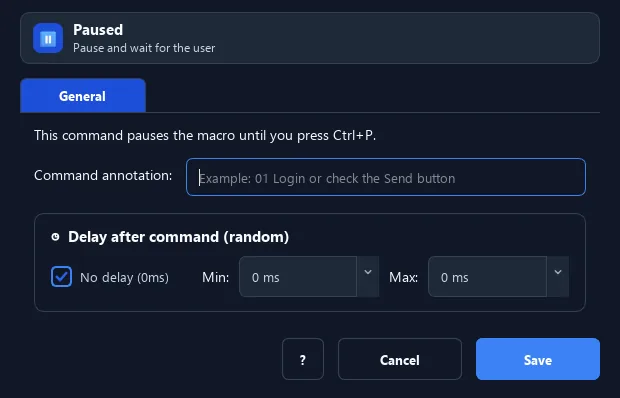
The Pause command stops the script at its position and waits until you press the resume hotkey (default F8).
Prerequisites#
- Add Pause to the macro.
- Prepare the data or target that Pause will use.
Supported modes#
- RunMacro Runner
What it does#
The Pause command stops the script at its position and waits until you press the resume hotkey (default F8). Use it when a manual step is needed mid-automation.
Screenshots & video#
When to use it#
- Wait for you to input something manually (e.g. solve a captcha) before continuing.
- Inspect the state mid-run before proceeding.
- Pause to observe while testing a workflow.
When not to use it#
- Do not use Pause in fully unattended workflows or when a Delay/readiness condition can decide when to continue.
Configuration steps#
- Add a Flow › Pause command where you want to stop.
- Run the script — it halts at this point.
- Press the resume hotkey (default
F8) to continue. Save.
Expected result#
After execution, Pause completes the described action and makes its result available to the next step.
Real example#
Example: pause to enter a verification code#
- Automate up to the code-entry screen.
- Add Pause — the macro waits for you.
- Type the code manually then press F8 to continue.
Limitations and failure cases#
- The workflow can remain blocked indefinitely until the user resumes it; the active hotkey may differ from the default.
Tips & common mistakes#
The resume hotkey may differ if you changed it in settings — RunMacro logs which key to press.
Verification details#
commands/control_flow.py
