
Docs
RunMacro Documentation
Create your first robot, then go further as needed.
Clear step-by-step guides to create, run, and improve robots for repetitive computer work.
Open a new tab in background Chrome (CDP)
The New Tab command opens an extra tab in background Chrome (CDP).
Prerequisites#
- Add New Tab to the macro.
- Prepare the data or target that New Tab will use.
Supported modes#
- Browser Mode
What it does#
The New Tab command opens an extra tab in background Chrome (CDP). Leave it empty (opens about:blank) or add a URL to load a page directly.
Screenshots & video#
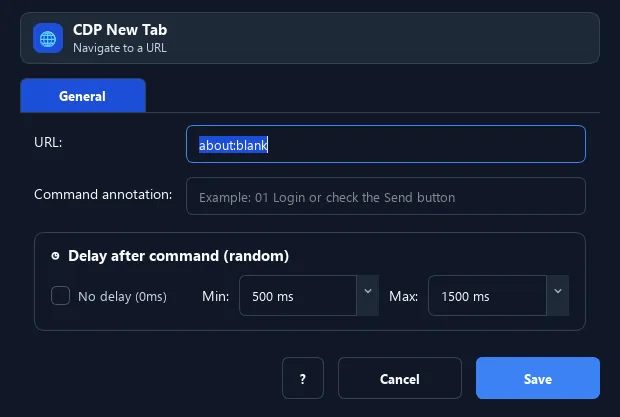
When to use it#
- Open several pages in one window to process in parallel.
- Keep the original page and open a side page to look things up.
- Prepare a blank tab before navigating.
When not to use it#
- Do not open a new tab when the current tab can be reused or the workflow requires a fixed tab count.
Configuration steps#
- Make sure the macro is in Browser Mode (CDP).
- Add the Browser › New Tab command.
- Optionally enter a URL to open. Save.
Every option explained#
Expected result#
After execution, New Tab completes the described action and makes its result available to the next step.
Real example#
Example: open a lookup tab#
- New tab with URL
https://google.com. - Use Switch Tab to return to the original tab when needed.
Limitations and failure cases#
- The CDP target/session must be active; an empty URL can open New Tab and navigation/readiness still needs separate checks.
Tips & common mistakes#
Combine with Switch Tab and Close Tab to manage multiple tabs in one script.
Verification details#
commands/browser.py
