
Docs
RunMacro Documentation
Create your first robot, then go further as needed.
Clear step-by-step guides to create, run, and improve robots for repetitive computer work.
Clear the clipboard in RunMacro
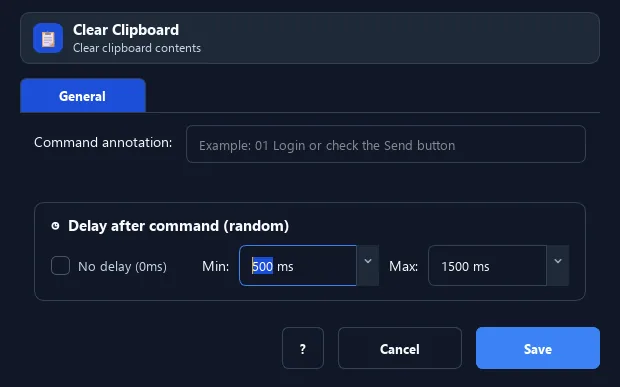
The Clear Clipboard command empties the clipboard (sets it to blank).
Prerequisites#
- Add Clear Clipboard to the macro.
- Prepare the data or target that Clear Clipboard will use.
Supported modes#
- Desktop Mode
- Browser Mode — Runs in the background through Chrome CDP: the command clears RunMacro’s virtual clipboard and leaves the system clipboard as it is.
What it does#
The Clear Clipboard command empties the clipboard (sets it to blank). It prevents accidentally pasting old content in later steps.
Screenshots & video#
When to use it#
- At the start of a workflow, to ensure the clipboard is clean before new copies.
- After using sensitive data (a password) so it is not left behind.
- Before a copy/paste loop to keep data controlled.
When not to use it#
- Do not use it while a later step or another application still needs the current clipboard.
Configuration steps#
- Add a Keyboard › Clear Clipboard command.
- No extra configuration needed.
- Save.
Expected result#
After execution, Clear Clipboard completes the described action and makes its result available to the next step.
Real example#
Example: wipe clipboard after using a password#
- Set Clipboard = password, then Paste from Clipboard into the field.
- Add Clear Clipboard right after.
- The password no longer stays in the clipboard.
Limitations and failure cases#
- It clears the active clipboard store without restoring clipboard history; Desktop and Browser can use separate stores.
Tips & common mistakes#
Use this for security when a workflow handles passwords or private data.
Verification details#
commands/keyboard.py
