
Docs
RunMacro Documentation
Create your first robot, then go further as needed.
Clear step-by-step guides to create, run, and improve robots for repetitive computer work.
Pick a random text into the clipboard in RunMacro
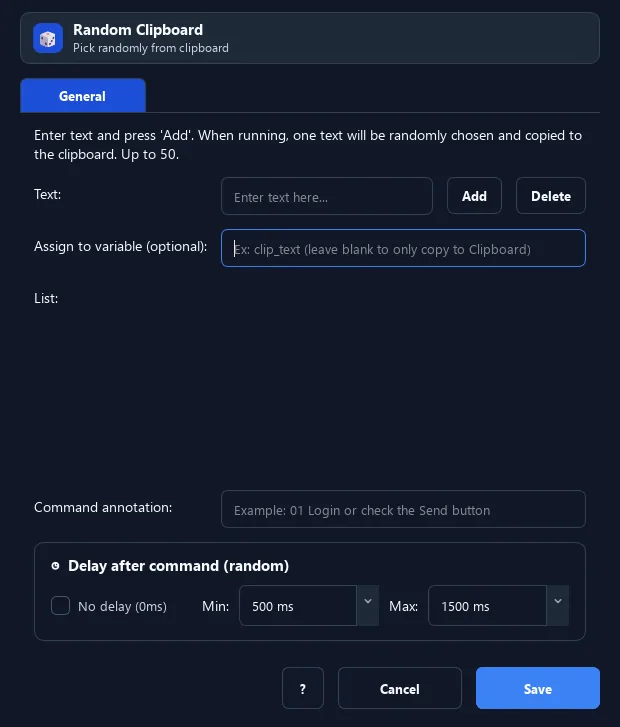
The Random Clipboard command picks a random item from an inline list you enter (up to 50) and puts it into the clipboard or a variable.
Prerequisites#
- Add Random Clipboard to the macro.
- Prepare the data or target that Random Clipboard will use.
Supported modes#
- RunMacro Runner
What it does#
The Random Clipboard command picks a random item from an inline list you enter (up to 50) and puts it into the clipboard or a variable. Like Random Text but no file — entered directly in the command.
Screenshots & video#
When to use it#
- A few short content choices, no separate file needed.
- Pick a random greeting/message.
- Quickly vary content.
When not to use it#
- Do not use it for large lists, lockable queues, or reproducible output.
Configuration steps#
- Add a Random › Random Clipboard command.
- Enter the content items (up to 50).
- (Optional) enter a result variable. Save.
Every option explained#
Expected result#
After execution, Random Clipboard completes the described action and makes its result available to the next step.
Real example#
Example: pick a random greeting#
- Random Clipboard with 3 items: "Hello", "Hi there", "Hey".
- Paste from Clipboard into the chat box.
Limitations and failure cases#
- Inline lists are dialog-limited; choices can repeat and clipboard writes can fail when busy.
Tips & common mistakes#
For long lists, keep them in a file and use Random Text for easier management.
Verification details#
commands/random_cmd.py
