
Docs
RunMacro Documentation
Create your first robot, then go further as needed.
Clear step-by-step guides to create, run, and improve robots for repetitive computer work.
Download random avatars from the Internet in RunMacro
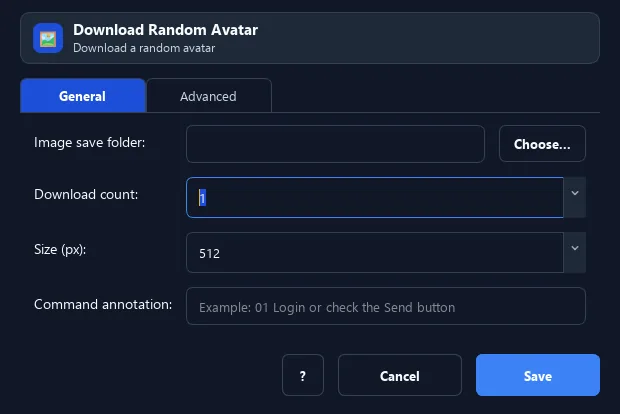
The Download Random Avatar command fetches one or more random profile images from online image services into a folder you choose.
Prerequisites#
- Add Download Random Avatar to the macro.
- Prepare the data or target that Download Random Avatar will use.
Supported modes#
- RunMacro Runner
What it does#
The Download Random Avatar command fetches one or more random profile images from online image services into a folder you choose. Useful when sign-ups need an avatar.
Screenshots & video#
When to use it#
- Prepare avatars for many accounts.
- Pre-download a pool of random images.
- Create test data with images.
When not to use it#
- Do not use a random downloaded image as verified identity or when source usage is not authorized.
Configuration steps#
- Add a Network › Download Random Avatar command.
- Choose the output folder, set the count and size.
- (Optional) edit the source URL list. Save.
Every option explained#
Expected result#
After execution, Download Random Avatar completes the described action and makes its result available to the next step.
Real example#
Example: download 10 avatars at 512px#
- Download Random Avatar, folder
C:\Avatars, count 10, size 512. - Then use an image per account during sign-up.
Limitations and failure cases#
- The remote source can fail, change format, or return a non-image file; the destination needs write permission.
Tips & common mistakes#
Sources are free online services — quality/format may vary between them.
Verification details#
commands/network.py
