
Docs
RunMacro Documentation
Create your first robot, then go further as needed.
Clear step-by-step guides to create, run, and improve robots for repetitive computer work.
Insert and run a .pmacro sub-macro in RunMacro
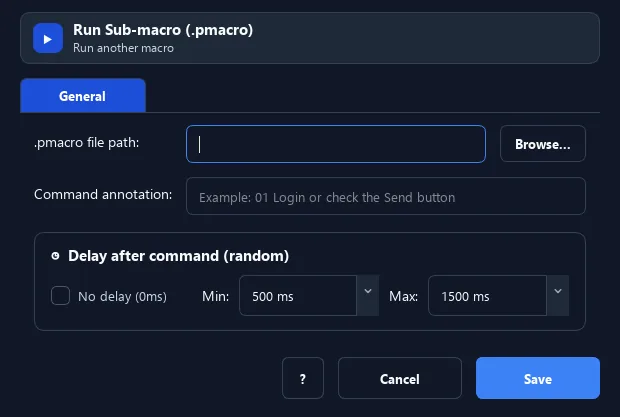
The Insert .pmacro command calls and runs another macro file as a sub-macro, right at its position.
Prerequisites#
- Add Insert .pmacro to the macro.
- Prepare the data or target that Insert .pmacro will use.
Supported modes#
- RunMacro Runner
What it does#
The Insert .pmacro command calls and runs another macro file as a sub-macro, right at its position. It lets you reuse common script parts and split a large workflow into tidy files.
Screenshots & video#
When to use it#
- Reuse a common script part (e.g. login) in many places.
- Split a large workflow into manageable files.
- Build a library of reusable sub-macros.
When not to use it#
- Do not insert a PMacro when a portable standalone package is required or when the call chain can become recursive.
Configuration steps#
- Add a Flow › Insert .pmacro command.
- Choose the path to the
.pmacrofile to run. - Save. On reaching it, the whole sub-macro runs before continuing.
Every option explained#
Expected result#
After execution, Insert .pmacro completes the described action and makes its result available to the next step.
Real example#
Example: reuse a login macro#
- Create
login.pmacrowith the login steps. - In the main workflow, Insert .pmacro pointing to it.
- Whenever login is needed, just insert this file.
Limitations and failure cases#
- The external PMacro must exist and may depend on local paths, variables, profiles, or assets; recursive call cycles are blocked.
Tips & common mistakes#
RunMacro blocks circular recursion (A calls B, B calls A) to avoid hangs — but avoid designing it that way.
Pair with Goto Parent File so a sub-macro can navigate back to the parent.
Verification details#
commands/control_flow.py
