
Docs
RunMacro Documentation
Create your first robot, then go further as needed.
Clear step-by-step guides to create, run, and improve robots for repetitive computer work.
Run a Python snippet in RunMacro
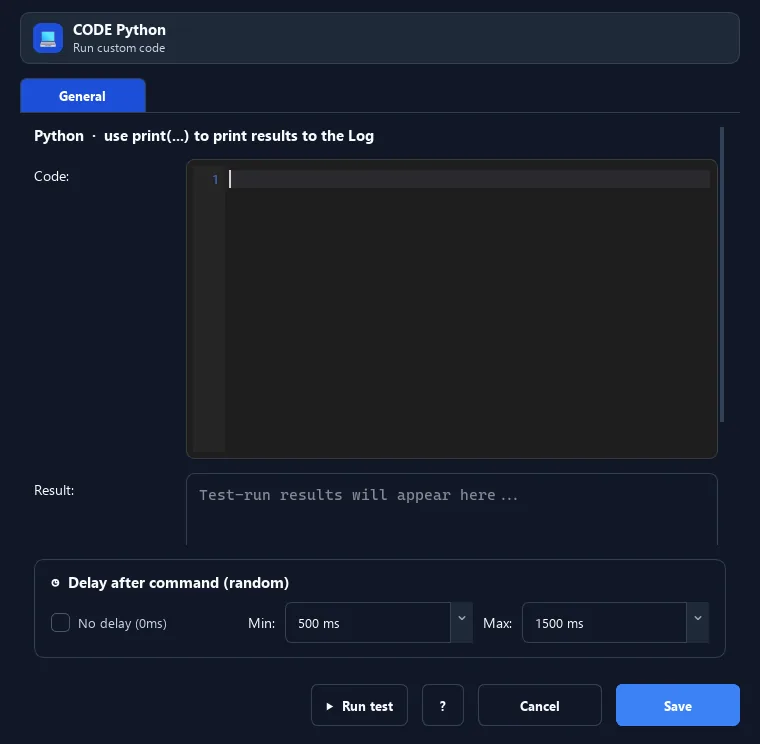
The Run Python Code command lets you insert and run a Python snippet inside your script.
Prerequisites#
- Add Run Python Code to the macro.
- Prepare the data or target that Run Python Code will use.
Supported modes#
- RunMacro Runner
What it does#
The Run Python Code command lets you insert and run a Python snippet inside your script. Printed output (stdout/stderr) goes to the log. Use it for complex logic beyond the built-in commands.
Screenshots & video#
When to use it#
- Process data / complex calculations.
- Call a Python library for a special task.
- Automate logic the built-in commands do not cover.
When not to use it#
- Do not run unreviewed Python or code requiring dependencies/interpreters unavailable to RunMacro.
Configuration steps#
- Add a Code › Run Python Code command.
- Enter your Python snippet in the editor.
- Use
print(...)to send output to the log. Save.
Every option explained#
Expected result#
After execution, Run Python Code completes the described action and makes its result available to the next step.
Real example#
Example: compute then print#
- Run Python Code with
print(2 ** 10). - The result
1024appears in the log.
Limitations and failure cases#
- Code uses process permissions, can modify files/network/state, and exceptions can fail the step; dependencies are not auto-installed.
Tips & common mistakes#
Python must be installed and on PATH for this command to run.
The snippet runs as a separate process — it does not directly access workflow variables.
Verification details#
commands/code.py
