
Docs
RunMacro Documentation
Create your first robot, then go further as needed.
Clear step-by-step guides to create, run, and improve robots for repetitive computer work.
Get the first line from a TXT file into the clipboard in RunMacro
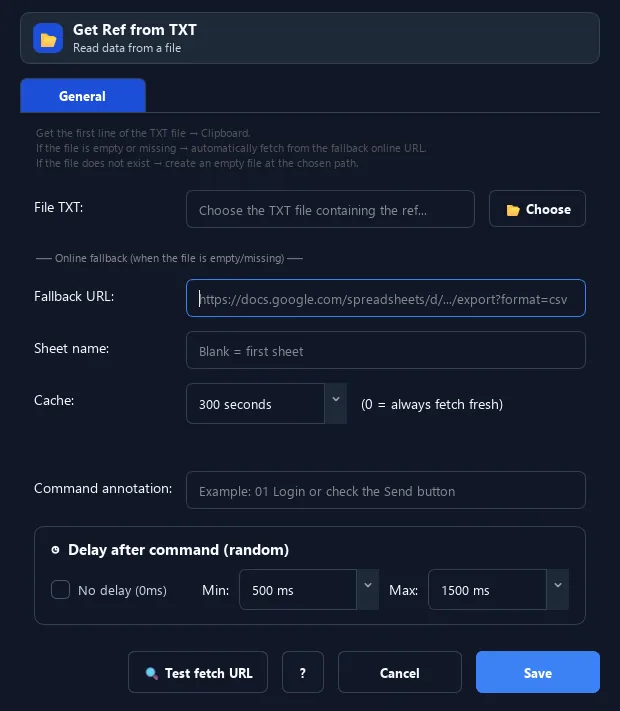
The Get Ref from TXT command reads the first line of a TXT file into the clipboard.
Prerequisites#
- Add Get Ref from TXT to the macro.
- Prepare the data or target that Get Ref from TXT will use.
Supported modes#
- RunMacro Runner
What it does#
The Get Ref from TXT command reads the first line of a TXT file into the clipboard. If the file is empty or missing, it can fall back to an online URL (and create an empty file if needed).
Screenshots & video#
When to use it#
- Take the top account/data item from a list.
- Process one by one: get the first line then Delete First Line to advance.
- Use a local file with an online fallback.
When not to use it#
- Do not use it when reading and reserving/removing a queue item must be atomic.
Configuration steps#
- Add a Random › Get Ref from TXT command and choose the file.
- (Optional) enter a fallback URL + sheet name if needed.
- Use Paste from Clipboard to fill it. Save.
Every option explained#
Expected result#
After execution, Get Ref from TXT completes the described action and makes its result available to the next step.
Real example#
Example: take the top account#
- Get Ref from TXT →
accounts.txt(first line to clipboard). - Use it to log in.
- When done, use Delete First Line to move to the next account.
Limitations and failure cases#
- It does not remove the line; fallback or multiple runners can cause repeated reads.
Tips & common mistakes#
The trio Get Ref → process → Delete First Line forms a handy account-list processing loop.
Verification details#
commands/random_cmd.py
