
Docs
RunMacro Documentation
Create your first robot, then go further as needed.
Clear step-by-step guides to create, run, and improve robots for repetitive computer work.
Switch tabs in background Chrome (CDP)
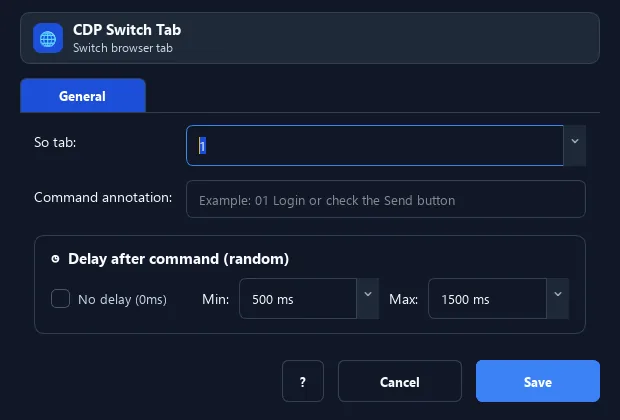
The Switch Tab command moves the background Chrome focus to a tab by its index (starting at 1).
Prerequisites#
- Add Switch Tab to the macro.
- Prepare the data or target that Switch Tab will use.
Supported modes#
- Browser Mode
What it does#
The Switch Tab command moves the background Chrome focus to a tab by its index (starting at 1). Subsequent web commands act on the selected tab.
Screenshots & video#
When to use it#
- After opening several tabs, select the right one to act on.
- Return to the original tab after opening a side tab.
- Alternate work between tabs.
When not to use it#
- Do not use it with unstable title/URL targets or multiple matching tabs without disambiguation.
Configuration steps#
- In Browser Mode (CDP), add the Browser › Switch Tab command.
- Enter the tab index (1 is the first tab).
- Save and place it before the actions that should run on that tab.
Every option explained#
Expected result#
After execution, Switch Tab completes the described action and makes its result available to the next step.
Real example#
Example: work on the 2nd tab#
- Open a New Tab (becomes tab 2).
- Switch Tab → 2.
- Run Smart HTML on tab 2.
Limitations and failure cases#
- A tab can close/change URL between lookup and switch; broad criteria can activate the wrong tab.
Tips & common mistakes#
If the index is greater than the number of open tabs, the command errors out and stops (it does not pick another tab). An index below 1 is clamped to tab 1. Make sure the target tab is open before switching.
Verification details#
commands/browser.py
