
Docs
RunMacro Documentation
Create your first robot, then go further as needed.
Clear step-by-step guides to create, run, and improve robots for repetitive computer work.
Auto-check & update a macro from the Cloud in RunMacro
The Check Update pmacro command checks and downloads the latest macro from the Cloud (a configured Gist) at run time.
Prerequisites#
- Add Check Update pmacro to the macro.
- Prepare the data or target that Check Update pmacro will use.
Supported modes#
- RunMacro Runner
What it does#
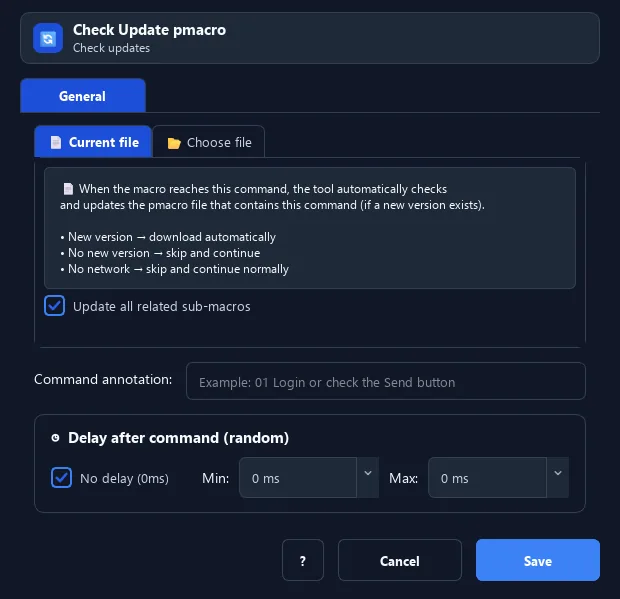
The Check Update pmacro command checks and downloads the latest macro from the Cloud (a configured Gist) at run time. It can update just the current file, or the main file plus all related sub-macros. If the running file is updated, RunMacro reloads the new version.
Screenshots & video#
When to use it#
- Ensure you always run the newest macro version.
- Update many machines running the same macro from the Cloud.
- Sync the latest edits before executing.
When not to use it#
- Do not use it with an untrusted Cloud source, unstable network, or when the running macro must stay pinned.
Configuration steps#
- Configure the Cloud/Gist in RunMacro settings first.
- Add a Debug › Check Update pmacro command at the start of the script.
- Choose the mode: current file (with sub-macros) or a specific file. Save.
Every option explained#
Expected result#
After execution, Check Update pmacro completes the described action and makes its result available to the next step.
Real example#
Example: always run the latest version#
- Place Check Update pmacro (current mode, with sub-macros) at the top.
- If the Cloud has a newer version, RunMacro fetches and runs it immediately.
Limitations and failure cases#
- Results depend on connectivity, access, and remote content; updating the running macro can change later steps.
Tips & common mistakes#
Requires a configured Gist ID (and token for private Gists) in settings; with no network it skips and continues.
Verification details#
commands/debug.py
