
Docs
RunMacro Documentation
Create your first robot, then go further as needed.
Clear step-by-step guides to create, run, and improve robots for repetitive computer work.
Add a note to your macro script in RunMacro
The Note command inserts a comment into the script.
Prerequisites#
- Add Note to the macro.
- Prepare the data or target that Note will use.
Supported modes#
- RunMacro Runner
What it does#
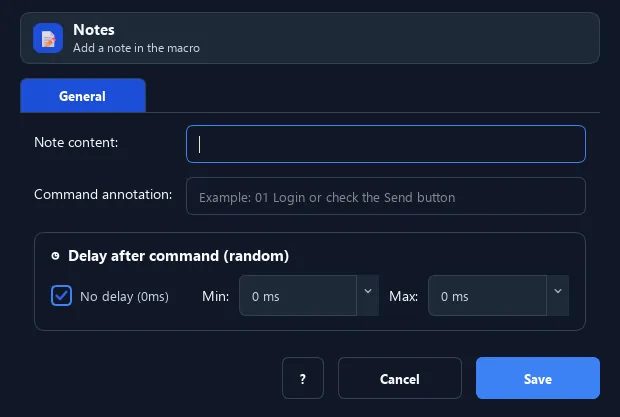
The Note command inserts a comment into the script. It does nothing at run time; it just helps you (and others) understand what the steps do — like a code comment.
Screenshots & video#
When to use it#
- Explain a complex block of commands.
- Record the reason/condition of a step.
- Break a long script into readable sections.
When not to use it#
- Do not use Note for runtime logs or data exchange; it is a workflow comment only.
Configuration steps#
- Add a Debug › Note command.
- Enter the note text.
- Save. The note shows in the command list but does not affect the run.
Every option explained#
Expected result#
After execution, Note completes the described action and makes its result available to the next step.
Real example#
Example: annotate the login block#
- Note "--- Login start ---" before the login block.
- The script reads more clearly later.
Limitations and failure cases#
- Note does not execute and changing its text creates no runtime state or output.
Tips & common mistakes#
Use Note together with Group to organize long scripts clearly.
Verification details#
commands/debug.py
