
Docs
RunMacro Documentation
Create your first robot, then go further as needed.
Clear step-by-step guides to create, run, and improve robots for repetitive computer work.
Random Goto: jump to a random label in RunMacro
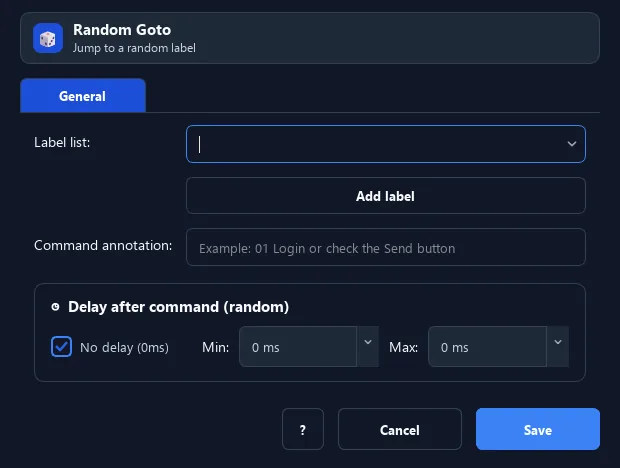
The Random Goto command randomly picks one Label from a list (up to 10) and jumps there.
Prerequisites#
- Add Random Goto to the macro.
- Prepare the data or target that Random Goto will use.
Supported modes#
- RunMacro Runner
What it does#
The Random Goto command randomly picks one Label from a list (up to 10) and jumps there. Each run can take a different path, making behavior more natural-timing.
Screenshots & video#
When to use it#
- Vary behavior to avoid a rigid, repeated pattern.
- Randomly pick one of several sub-scripts.
- Simulate a user making a random choice.
When not to use it#
- Do not use it when execution must be reproducible or branching should depend on a data condition.
Configuration steps#
- Create the target Labels (e.g.
path_a,path_b). - Add a Flow › Random Goto command.
- Choose the list of labels it may jump to. Save.
Every option explained#
Expected result#
After execution, Random Goto completes the described action and makes its result available to the next step.
Real example#
Example: randomly choose 1 of 3 actions#
- Create Labels
a,b,cfor 3 branches. - Random Goto picks among [a, b, c].
- Each run follows a random branch.
Limitations and failure cases#
- Label selection is nondeterministic, can repeat, and does not produce reproducible runs.
Tips & common mistakes#
Combine with a Random Wait for even more natural overall behavior.
Verification details#
commands/control_flow.py
