
Docs
RunMacro Documentation
Create your first robot, then go further as needed.
Clear step-by-step guides to create, run, and improve robots for repetitive computer work.
Delete the first line of a TXT file in RunMacro
The Delete First Line command removes the first non-empty line of a TXT file.
Prerequisites#
- Add Delete First Line to the macro.
- Prepare the data or target that Delete First Line will use.
Supported modes#
- RunMacro Runner
What it does#
The Delete First Line command removes the first non-empty line of a TXT file. It is typically used right after you fetched and processed that line, so the next run picks the following one.
Screenshots & video#
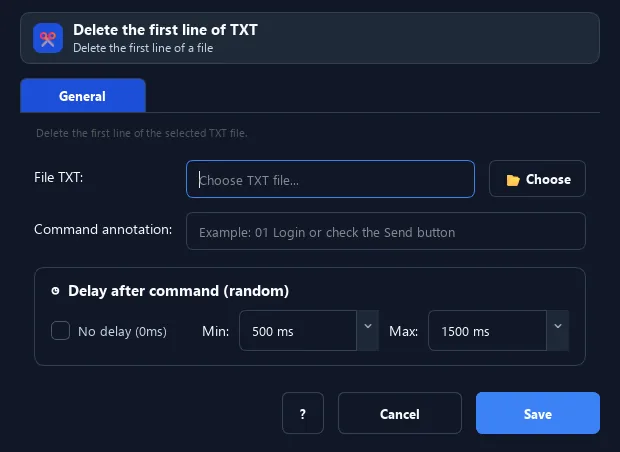
When to use it#
- Process an account/data list line by line.
- Drop a used item so it is not repeated.
- Pair with Get Ref from TXT to form a queue.
When not to use it#
- Do not use it without a backup or while multiple processes write the file.
Configuration steps#
- After using the first line (via Get Ref from TXT).
- Add a Random › Delete First Line command and choose the same file.
- Save. The first line is removed; the rest shift up.
Every option explained#
Expected result#
After execution, Delete First Line completes the described action and makes its result available to the next step.
Real example#
Example: an account queue#
- Get Ref from TXT takes the top account.
- Log in and process.
- Delete First Line so the next run takes the following account.
Limitations and failure cases#
- It is destructive and not atomic with a preceding read; rewriting a large file can be slow.
Tips & common mistakes#
This changes the real file and cannot be undone — back up the list file first.
Verification details#
commands/random_cmd.py
